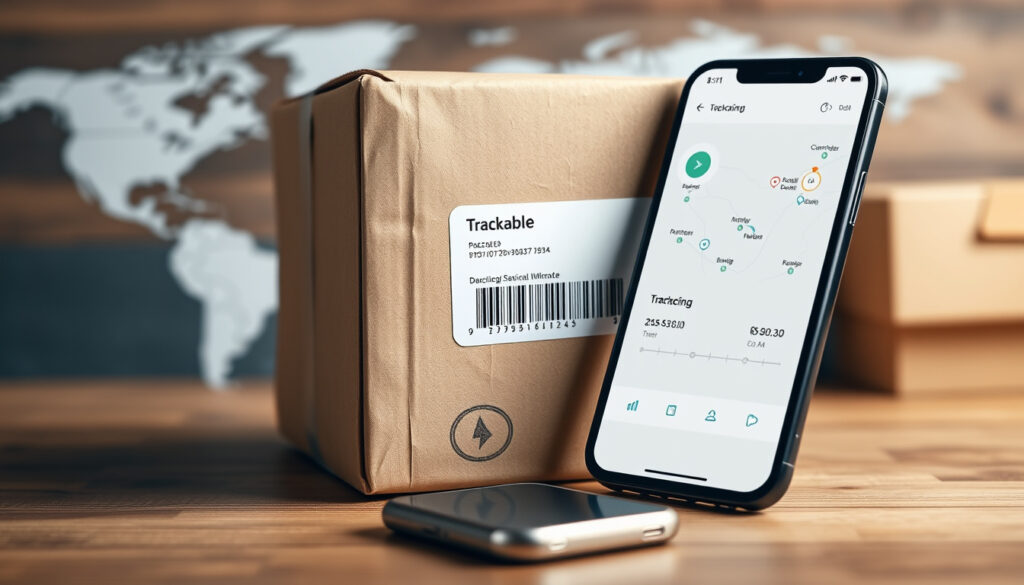
Border Express Tracking: Track Parcels Using Official Tools
You’ve just ordered something online, and now you’re refreshing the tracking page like it’s a countdown clock. The parcel is somewhere in the Border Express network, and you want to know exactly where—and when it will arrive. Below we detail the carrier’s official tracking tools, how to use consignment numbers, and what to expect from third-party trackers, so you can stop guessing and start planning.
Consignments per lookup: up to 15 · Official tools: 3 (Track It, Quick Track, BEX Online) · Third-party aggregators: 4 (17TRACK, ParcelsApp, AfterShip, TrackCourier) · Tracking method: consignment number or con-note
Quick snapshot
- Border Express provides a consignment-number lookup on its website (Border Express Australia)
- Users can track up to 15 consignments at once (BEX Online – Border Express)
- The tracking number is sent in the dispatch confirmation email (Border Express Help Center)
- Whether third-party trackers access real-time data or cached updates (17TRACK)
- Exact delivery time windows – Border Express offers only a rough timeline guide (Border Express Australia)
- Whether Border Express provides direct API access for third-party trackers is unclear (AfterShip)
- Each item is scanned at collection, depot arrival, linehaul departure, and delivery (Border Express Help Center)
- The company says it uses scanning technology on every item transported (Border Express Help Center)
| Metric | Value |
|---|---|
| Consignments per lookup | Up to 15 |
| Official tools | 3 (Track It, Quick Track, BEX Online) |
| Third‑party aggregators | 4 (17TRACK, ParcelsApp, AfterShip, TrackCourier) |
| Tracking method | Consignment number or con‑note |
How to track a Border Express parcel
The easiest way to check your package’s progress is through the carrier’s own tools. Whether you have a single consignment or multiple, Border Express offers three entry points.
Track It on the home page
- Go to borderexpress.com.au and find the “Track It” field
- Enter your consignment number (also called a con-note number) and click Track
- Your tracking number is provided by the sender in the dispatch confirmation email (Border Express Help Center)
Quick Track in BEX Online
- If you have a BEX Online account, use the Quick Track page
- You can enter up to 15 consignment numbers at once for batch tracking
- The system returns status updates for all entered consignments simultaneously
Third-party trackers
- Services like 17TRACK, ParcelsApp, and AfterShip offer Border Express tracking
- These platforms gather data from carrier feeds but may have a slight delay compared to the official interface
- TrackCourier.io also lists Border Express for quick lookups
Third‑party trackers like 17TRACK can be useful if you manage parcels from multiple carriers, but they don’t show depature scans or hold information the way the official BEX Online does.
The pattern: official tools provide the most reliable data for real-time tracking.
Where do I find my Border Express tracking number?
Without the consignment number you can’t look up anything. Here’s where to look.
- Check the dispatch confirmation email sent by the sender – this contains the consignment number (Border Express Help Center)
- If you can’t find the email, ask the sender directly
- The consignment number is usually a 10‑ to 12‑digit code (no dashes)
If you have a BEX Online account, any past shipments linked to your login can be retrieved without the number.
What status updates can I expect?
Border Express scans every item at multiple points along the journey. The typical status flow includes:
| Status | Meaning |
|---|---|
| Collected | Package picked up from sender |
| Arrived at depot | Scan at origin depot |
| In transit | On the truck/train between depots |
| Arrived at destination depot | Ready for last‑mile delivery |
| Out for delivery | On the delivery vehicle |
| Delivered | Signed for or left in safe place |
Border Express says it uses scanning technology on every item transported through its system, so most scans appear within hours of the event (Border Express Help Center).
If your tracking hasn’t updated for more than 24 hours, contact Border Express customer support – a missed scan may mean the parcel was mis‑sorted or delayed.
The catch: if scans are missing, it’s a sign to contact support promptly.
Official vs. third-party tracking: a comparison
Three routes, one destination: seeing where your parcel is. Each has trade‑offs in speed, convenience, and features.
| Feature | Border Express Track It | BEX Online Quick Track | Third‑party aggregator (e.g., 17TRACK) |
|---|---|---|---|
| Up to 15 consignments | No (single only) | Yes | Usually yes |
| Real‑time scanning | Yes – carrier direct | Yes – carrier direct | Possible delay (cached) |
| Account required | No | Yes (free login) | No |
| Mobile‑friendly | Yes | Yes (browser) | App available (17TRACK) |
| Multi‑carrier support | No | No | Yes |
The pattern: Border Express’ native tools are faster and more accurate for a single carrier. Third‑party apps win if you juggle parcels from different couriers.
Can I track multiple Border Express parcels at once?
Yes, if you use BEX Online’s Quick Track. The page accepts up to 15 consignment numbers separated by commas or lines. You can also log in to BEX Online to see all shipments linked to your account.
The official home‑page Track It tool handles only one consignment per search. For small businesses or frequent shoppers, the BEX Online option is a clear timesaver.
“Enter up to 15 consignments to track multiple parcels at once.”
— BEX Online Quick Track page (Border Express)
“The sender should be able to provide the tracking number. It is usually found in the confirmation email sent when the item is dispatched.”
— Border Express Help Center (Border Express)
What if I can’t find my tracking number?
Missing the consignment number is the most common frustration. The Help Center advises contacting the sender – they have the number in their shipping records (Border Express Help Center). If you ordered from an online store, check your order history or account page – many merchants display the tracking link after dispatch.
If you have a Border Express account, log in to BEX Online and browse past consignments. The platform retains recent shipment history.
Is Border Express tracking available on mobile?
Yes. The main website is mobile‑responsive, so the Track It field works on smartphones. BEX Online also renders well in mobile browsers. For dedicated apps, third‑party platforms like 17TRACK offer native iOS and Android apps with Border Express support.
What this means: choose the tool that matches your tracking needs.
For those needing more detailed instructions, a comprehensive Border Express tracking guide offers step-by-step walkthroughs for using Track It and BEX Online.
Frequently asked questions
How long does Border Express take to deliver?
Delivery times depend on origin and destination. Border Express offers a rough timeline guide on its website but does not guarantee specific windows. Local metropolitan deliveries typically arrive in 1–3 business days; regional routes can take 2–5 days.
Can I redirect my parcel after it’s been dispatched?
Border Express does not publicly offer a self‑service redirect tool. Contact customer support with the consignment number to request a delivery address change – it is subject to depot approval and may incur a fee.
Why is my tracking status stuck at “Arrived at depot”?
A hold at the depot can mean the parcel is waiting for the next linehaul departure, or that a customs check (for international shipments) is in progress. If it stays for more than 48 hours, contact customer service.
Does Border Express deliver on weekends?
Standard deliveries run Monday to Friday. Some metro routes have Saturday delivery – check with your local depot.
Can I use a third-party tracker with Border Express?
Yes. 17TRACK, ParcelsApp, AfterShip, and TrackCourier.io all support Border Express. However, they rely on the same carrier data – official tools are more immediate.
What should I do if my parcel is marked delivered but I don’t have it?
First check with neighbours or safe‑drop locations. If nothing turns up, report to Border Express within 48 hours – they can initiate an investigation using GPS and photo proof from the driver.
How do I get a proof of delivery?
Log in to BEX Online and download the delivery receipt. If you don’t have an account, contact customer support with the consignment number – they can email a signed POD copy.
For Australian consumers and small businesses, Border Express offers reliable, direct tracking through its own tools – third‑party aggregators are a convenience, not a necessity. The decision to go native or multi‑carrier is straightforward: use BEX Online for speed and accuracy, or a tracker like 17TRACK if you manage shipments across multiple couriers. For the sender who just wants to see “when will it be on my porch”, the official Track It box on the homepage is still the quickest click.
More related posts
 Levi Ashcroft: Age, Brother, Height, Jersey Number & AFL Career
 Bethany Joy Lenz: Cult, Divorce, Feuds, and New Book Explained
 Elisabeth Murdoch: Biography, Net Worth, Family & Current Role
 Miu Miu Bag – 2025 Guide to Prices, Models and Value
 Bailey Smith: Ex-Girlfriend, Salary, Nickname & AFL Career
 Best Online Video Editor: Free No Watermark Tools
 Andrew Garfield: Emma Stone, Dating Status, Marriage & Children
 Salt Bae Net Worth, Closures, Losses: What Happened